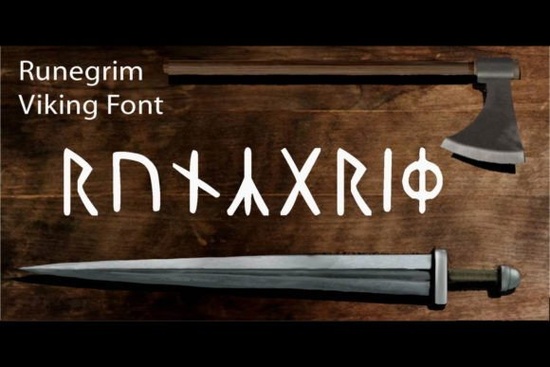
If you have ever tried to work with historical rune alphabets, you already know the formatting can be a headache. The Runegrim Font solves that problem by giving you a clean, ready-to-type Viking rune style that works just like any regular typeface. You do not need to memorize Unicode values or switch keyboard layouts. You simply type your letters, and the font handles the rest. This makes it a practical choice for designers, crafters, and print-on-demand sellers who want that ancient Nordic look without the technical friction.
What makes this rune-style typeface different from others?
Most historical scripts require special character maps or custom input methods. Runegrim skips that step entirely. It maps standard keyboard keys to carefully drawn rune shapes, so your workflow stays fast and predictable. The letterforms carry that hand-carved, weathered feel, but they remain legible at common display sizes. If you are building apparel graphics, wood signs, or handmade packaging, you get the aesthetic you want without spending hours fixing broken glyphs. For projects that lean into old-world charm, you might also explore a soft retro display style when you need something slightly lighter for supporting text.
Where does it work best in real projects?
This typeface shines in short headlines, brand marks, and decorative text blocks. It is not meant for long paragraphs, and that is completely fine. Rune scripts are naturally bold and symbolic, so they perform best when given room to breathe. Here are a few places where it consistently delivers:
- T-shirts and hoodies: Short phrases, clan names, or single-word statements look sharp on fabric.
- Handmade goods and craft labels: Stamped-style tags, candle jars, and leather patches gain instant character.
- Print-on-demand posters: Mythical quotes, travel prints, and fantasy-themed artwork stand out on walls.
- Small business branding: Logos for breweries, barber shops, or outdoor gear stores benefit from the rugged tone.
When you need a contrasting script for subtext, a flowing handwritten alternative can balance the heavy rune shapes nicely.
How do you install and use it without Unicode headaches?
Because the font maps to standard keys, installation follows the usual steps for your operating system. Download the file, double-click to install, and restart your design software. Once it appears in your font menu, type normally. Capital letters usually carry the strongest rune forms, while lowercase keys may offer slight variations or simplified strokes. If you are working in Canva, Cricut Design Space, or Silhouette Studio, make sure the program recognizes newly installed fonts before starting your layout. For late-night design sessions where you want a completely different mood, a bold modern display option might be worth keeping in your library.
Which other display fonts pair well with it?
Rune typefaces carry a lot of visual weight, so pairing them with cleaner or softer styles creates balance. You can place Runegrim at the top of a poster and use a simple sans-serif for details like dates, locations, or pricing. If you prefer staying within the vintage category, a classic aged lettering style works smoothly for secondary headlines. The key is contrast: let the runes take the spotlight, and keep supporting text quiet and readable. You can also check out Runegrim Font on Creative Fabrica to see licensing details and file formats before purchasing.
What should you check before sending your design to print?
Historical-style fonts can look great on screen but lose detail during production if you skip a few quick checks. Run through this short list before exporting:
- Verify the final size. Rune details can blur if scaled too small for screen printing or embroidery.
- Convert text to outlines. This prevents missing font errors when sharing files with printers or clients.
- Test contrast on dark fabrics. Light ink on black shirts often needs a slightly thicker stroke or a subtle underbase.
- Check licensing for commercial use. Make sure your project type matches the license you purchased.
- Print a physical proof. Screen colors and fabric textures change how carved-style letters read in real life.
If you keep those steps in mind, your finished pieces will look intentional and professional. The rune display collection page also includes preview mockups that can help you visualize spacing and layout before you commit to a final design.
Start by typing a few test phrases in all caps, adjust the tracking until the runes feel balanced, and run a quick paper print to check legibility. Once you are happy with the spacing, export your artwork as a high-resolution PNG or vector file, and you will be ready for production.
Explore Design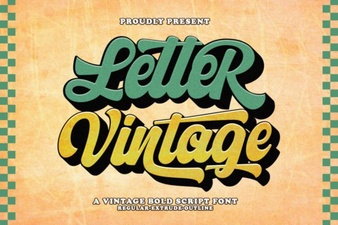 Vintage Lettering Fonts for Creative Design Projects
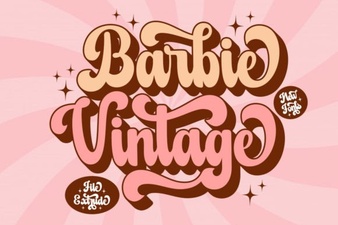 Designing with Vintage Barbie Extrude Font Style
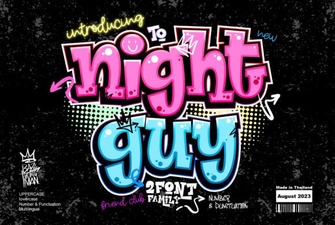 Night Guy Font: Creative Typography Projects
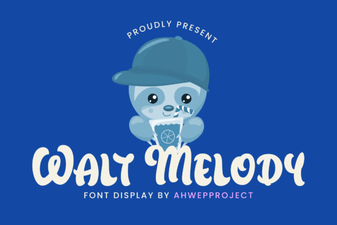 Discover & Download the Walt Melody Font
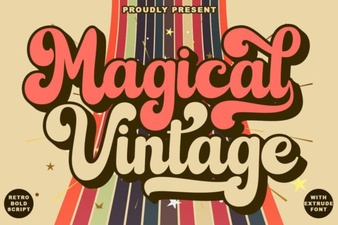 Magical Vintage Fonts for Design & Creativity
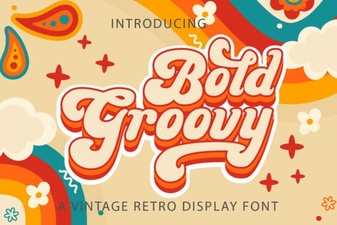 Groovy Fonts: Creative Design Projects & Ideas