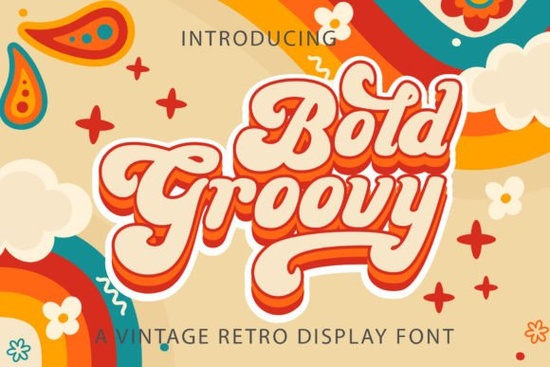
If you need a typeface that instantly brings a 1970s vibe to your layouts, Bold Groovy Font delivers exactly that. It is a thick, vintage-style handwritten typeface built for projects that need a relaxed, retro feel without looking messy. Designers, print-on-demand sellers, and small business owners often choose this style when they want headlines, logos, or social graphics to feel warm and approachable. The letters are drawn with a marker-like weight, making them highly readable even at smaller sizes, while the slight irregularities keep the design from feeling stiff.
What makes this retro typeface stand out?
The main appeal lies in its balance between bold presence and hand-drawn charm. Many vintage fonts lean too heavily into distressed textures or overly decorative swashes, which can complicate printing and cut files. This one keeps the shapes clean and consistent, so it works smoothly across digital screens, paper stock, and vinyl cuts. Because it is PUA encoded, you will not need extra software to reach the alternate characters. Every glyph and swash is accessible directly through your design program’s character panel, which saves time when you are testing different letter combinations for a logo or wedding invitation.
Where does a vintage handwritten font work best?
This style fits naturally into projects that rely on personality and nostalgia. You will see it used most often for:
- Branding and logos for coffee shops, boutique stores, and creative studios that want a friendly, retro identity
- Print-on-demand merchandise like t-shirts, tote bags, and stickers where thick strokes hold up well during printing
- Event stationery including wedding suites, birthday invites, and baby shower cards that need a relaxed, handwritten touch
- Social media graphics and Pinterest pins that require quick readability on mobile screens
When you are designing for physical products, keep the stroke weight in mind. The bold structure handles screen printing and heat transfer vinyl nicely, but you may want to increase letter spacing slightly on dark fabrics to prevent ink bleed from closing the negative space.
How do I access the extra glyphs and swashes?
Since the font is fully PUA encoded, you can pull up alternates in almost any standard design application. In Adobe Illustrator or Photoshop, open the Glyphs panel and scroll through the available characters. Canva users can access extra letters through the text effects menu or by copying and pasting directly from a character map tool. If you work with cutting machines like Cricut or Silhouette, the clean vector paths mean you can weld or slice the letters without jagged edges. Just remember to outline your text before sending it to the cutter, and always run a small test cut on scrap material to check how the thicker strokes handle your chosen blade pressure.
What should I pair it with for balanced layouts?
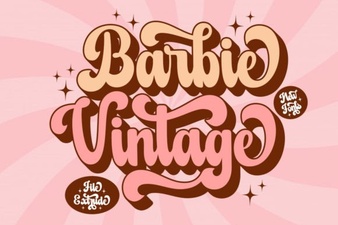
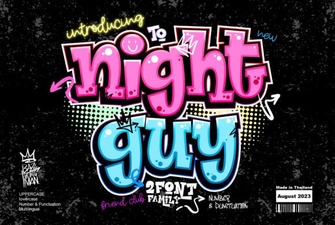
A heavy retro script usually needs a quiet companion to keep the overall design readable. Simple sans-serif fonts or light monoline scripts work best because they step back and let the main headline shine. If you are building a brand kit and want to explore other moods, you might also browse a softer handwritten option like Walt Melody for secondary text, or try Night Guy when your project calls for a more modern, geometric contrast. For a playful vintage extrude effect that matches the same era, Barbie Vintage Extrude can add depth to poster titles. And if you are creating educational printables or kids’ merchandise, Big Alphabet Tracing pairs nicely for instructional sections that need clear, readable letterforms. You can also preview the full Bold Groovy collection to see how the weights and alternates look in real mockups before committing to a layout.
Is it suitable for commercial and small business use?
Yes, as long as you follow the licensing terms provided with your download. Most creators use this typeface for client branding, digital products, and physical goods sold through Etsy or Shopify. When you are preparing files for clients, always embed the font or convert text to outlines so the design stays intact across different computers. For web use, convert the headline to an image or SVG to avoid loading issues, since handwritten display fonts are rarely optimized for body text on websites. If you want to verify the latest licensing details or check for updates, you can review the official Bold Groovy Font page directly.
Quick setup checklist before you start designing
- Install the OTF or TTF file and restart your design software so the font appears in the menu
- Open the Glyphs panel to locate swashes, alternates, and punctuation marks
- Set tracking to 10–20 for better readability on print materials
- Convert text to outlines before sending files to printers or cutting machines
- Run a small test print or cut to verify stroke thickness and spacing on your chosen material
Start with a simple headline mockup, test a few alternate letters, and adjust the spacing until the words feel balanced. Once the layout looks clean, you can move straight into production without guessing how the font will translate to your final product.
Learn More Vintage Lettering Fonts for Creative Design Projects
 Designing with Vintage Barbie Extrude Font Style
 Night Guy Font: Creative Typography Projects
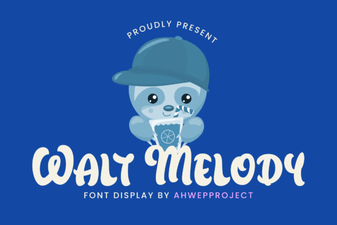 Discover & Download the Walt Melody Font
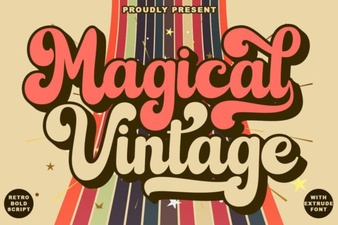 Magical Vintage Fonts for Design & Creativity
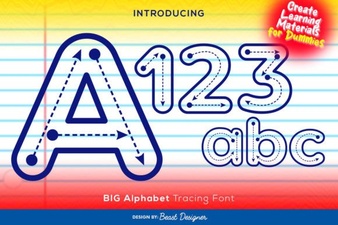 Designing Projects with Big Alphabet Tracing Font