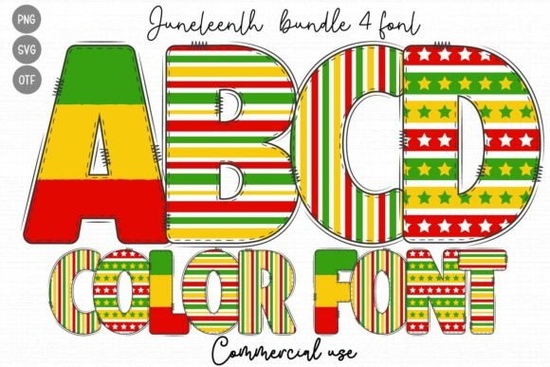
If you are looking for a ready-made typeface that captures the spirit of mid-June celebrations, the Juneteenth Font gives you a straightforward way to add meaningful color to your layouts. This display typeface comes pre-colored in black, red, yellow, and green, so you do not have to manually layer shapes or adjust hex codes. It was built specifically for creators who want to honor the holiday while keeping their workflow simple. Whether you are designing t-shirts, event flyers, or social media graphics, the built-in palette saves time and keeps your message visually consistent.
What makes a color font different from standard typefaces?
Regular fonts rely on a single solid fill that you change inside your design software. A color font like this one stores multiple shades directly inside each glyph. That means every letter arrives with its own black, red, yellow, and green sections already mapped out. You still type normally, but the software reads the embedded color data and displays it automatically. This approach works especially well for holiday fonts and themed projects where you want a coordinated look without spending hours on manual vector coloring. If you enjoy browsing other seasonal options, you might want to explore how different multicolor display typefaces handle layering and opacity in popular design programs.
Which projects work best with this style?
Because the letters carry a strong visual presence, they perform best when given room to breathe. Think about using them for:
- Print-on-demand apparel where bold holiday messaging needs to stand out on dark or neutral fabrics
- Event posters and community flyers that require immediate visual recognition
- Social media quotes paired with simple backgrounds to keep the focus on the typography
- Small business packaging for limited-edition summer releases or cultural celebrations
Crafters working with sublimation or direct-to-garment printing will appreciate that the colors are already balanced. You can resize the text, adjust tracking, and export without worrying about mismatched fills. Just remember that highly detailed color fonts look cleanest at medium to large sizes.
How do I install and use a multicolor typeface?
Installation follows the same steps as any standard desktop font. Download the file, unzip the folder, and double-click the .OTF or .TTF file to install it on your system. Once activated, open your preferred software and select the family from the type menu. Programs like Adobe Illustrator, Photoshop, and Affinity Designer recognize embedded color data automatically. If you are using Cricut Design Space or Silhouette Studio, you may need to export your text as a high-resolution PNG first, since some crafting platforms flatten color fonts into single-layer shapes. Always test a short phrase before committing to a full layout.
What should I keep in mind before downloading?
Color fonts behave slightly differently depending on your operating system and software version. Older applications might display the letters in solid black instead of showing the full palette. If that happens, check your program’s OpenType SVG or COLR/CPAL support settings. You should also verify the licensing terms if you plan to sell finished products. Most marketplace licenses cover personal projects and small commercial runs, but print-on-demand platforms sometimes require an extended commercial license. Reading the fine print upfront prevents headaches later.
If you want to see how this typeface fits into your current library, you can preview the Juneteenth Font directly on the marketplace before purchasing. Testing a few sample words will show you how the red, yellow, green, and black sections interact with your background choices.
How can I get the best results on my first try?
Keep your layout simple. Let the pre-colored letters do the heavy lifting instead of adding gradients, drop shadows, or busy textures. Pair the display typeface with a clean sans-serif for body copy so the design stays readable. When printing, choose a material that holds ink well, like cotton blends for apparel or matte cardstock for posters. If you are working digitally, export at 300 DPI for print files or 72 DPI for web graphics, and always double-check color profiles before sending to production.
Before you start your next project, run through this quick checklist:
- Confirm your design software supports OpenType color fonts
- Test a short phrase at your intended print size
- Check the commercial license for your specific use case
- Pair the display letters with a neutral background
- Export in the correct DPI and color mode for your output method
Take a few minutes to set up a test file today, adjust your spacing, and see how the built-in palette looks on your chosen medium. A quick preview will save you time and help you finish your design with confidence.
Try It Free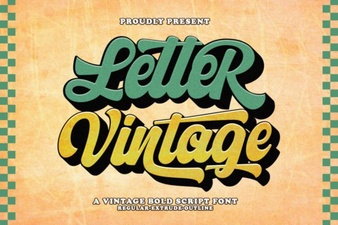 Vintage Lettering Fonts for Creative Design Projects
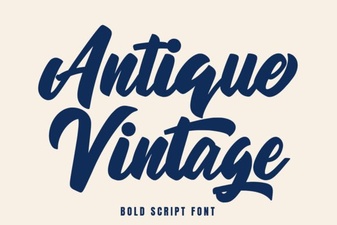 Timeless Antique Fonts for Creative Projects
 Whiskey Font Styles for Branding and Design
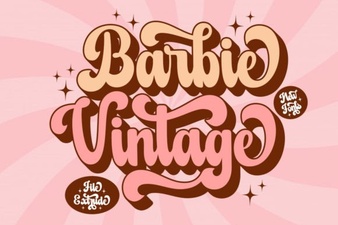 Designing with Vintage Barbie Extrude Font Style
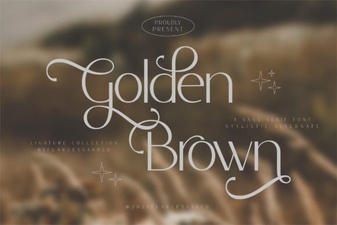 Golden Brown Fonts: a Design Guide
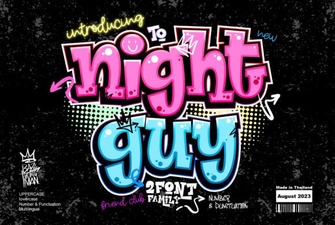 Night Guy Font: Creative Typography Projects