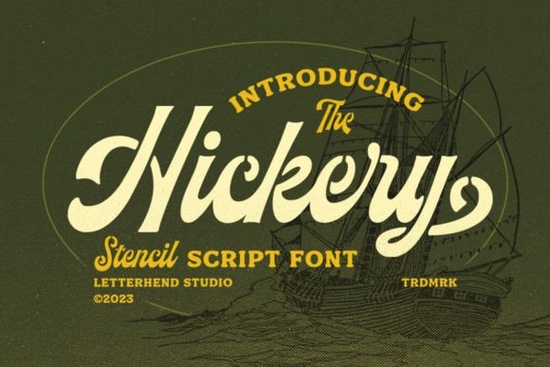
If you are looking for a typeface that balances rough edges with refined curves, Hickery Font delivers exactly that. This stencil script brings a weathered, vintage feel to your layouts while keeping the readability you need for commercial work. Designers, crafters, and print-on-demand sellers often struggle to find lettering that feels both handcrafted and professional. Hickery solves that by combining broken stencil cuts with smooth script flow, making it a reliable pick for branding, apparel, and digital downloads.
What makes this stencil script different from regular handwriting fonts?
Most script fonts lean heavily into delicate calligraphy or bold brush strokes. Hickery takes a different route by merging stencil gaps with cursive connections. The result is a typeface that reads clearly at smaller sizes but still carries that aged, workshop-inspired texture. You will notice how the broken segments create natural breathing room between letters, which prevents the crowded look that often happens with thick scripts. If you usually browse through retro-inspired lettering collections for your branding projects, you will appreciate how this design keeps the nostalgic vibe without sacrificing modern legibility.
Where does Hickery work best in real projects?
This font shines when you need personality without overwhelming the rest of your design. It works particularly well for:
- Apparel and tote bags: The stencil cuts print cleanly on fabric, even with screen printing or heat transfer vinyl.
- Product packaging and labels: Short brand names or taglines stand out without looking overly decorative.
- Social media graphics: The vintage charm adds warmth to promotional posts and digital templates.
- Event stationery: Use it for headers or monograms when you want a rustic yet polished aesthetic.
Because the letterforms carry built-in texture, you rarely need to add extra grunge overlays. That saves time during production and keeps your file sizes manageable.
How do you pair it with other typefaces without cluttering the layout?
Stencil scripts already carry strong visual weight, so pairing them requires a light touch. Stick to clean sans-serif or simple serif fonts for body text. When you need a softer contrast for playful brands, explore lighter handwritten alternatives as secondary accents. For casual campaigns, a cheerful companion like the options in friendly script collections can balance the rugged edges. Keep supporting text neutral for minimalist branding, or test rounded, airy typefaces to soften the composition without losing readability.
What should you know before downloading and installing?
Before you add any font to your workflow, check file formats, licensing, and software compatibility. Hickery typically arrives with standard OTF and TTF files, which install smoothly on Windows and Mac. Most design programs, including Illustrator, Photoshop, Canva, and Cricut Design Space, recognize these formats without extra conversion steps. Always review the commercial license terms if you plan to sell physical products or digital templates. Many creators overlook this step and run into issues later when scaling their shops. You can find the latest licensing details and download options when you search for Hickery Font directly on the marketplace.
Which adjustments help the font print correctly?
Getting the most out of a textured script comes down to practical adjustments. Turn on kerning and tracking controls in your software. Stencil gaps can create uneven spacing around wide letters, so manually nudging those characters by ten to twenty units usually fixes the rhythm. Avoid scaling below twenty points for print projects, since fine cuts may fill in on porous materials like cardstock. Test color contrast early. Dark charcoal or deep navy often reads better than pure black. If you are working on youth-focused merchandise, browse trendy display scripts to see how other lettering styles handle bold color blocks.
Before you finalize your design, run through this quick checklist:
- Verify the commercial license matches your intended sales channel
- Install both OTF and TTF versions to ensure software compatibility
- Adjust tracking manually around wide or narrow letter combinations
- Print a small test sample to check how stencil gaps render on your material
- Pair with a neutral sans-serif for body text to keep the layout balanced
Take a few minutes to test the typeface in your actual project file rather than relying on preview images. Real-world scaling, material texture, and color choices will always show you how the letters truly perform. Once you confirm the spacing and print quality, you can move forward with confidence and keep your production workflow smooth.
Explore Design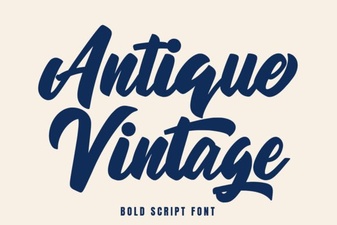 Timeless Antique Fonts for Creative Projects
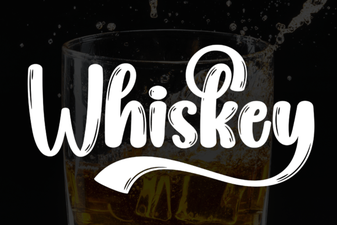 Whiskey Font Styles for Branding and Design
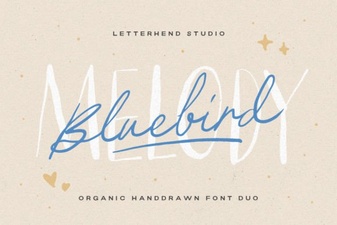 Bluebird Melody: a Creative Font for Projects
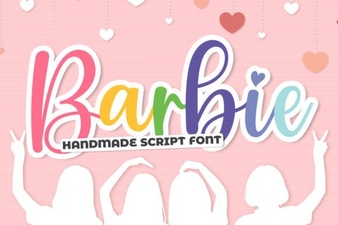 Barbie Fonts for Creative Design Projects
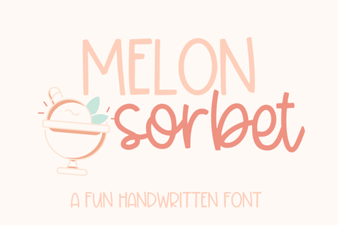 Melon Sorbet Font for Fresh Web Designs
 Behappy Font: Joyful Designs & Creative Uses